Ceres 6
Ceres 6
Ceres 6 documentation is in progress, and can be temporarily found in the 'next' subdirectory under 'docs'. The entry point is linked here.
Ceres 6 is a complete rewrite of Ceres, and uses a completlely new web-based visual style. This means that nearly every screenshot in the Ceres 5 documentation is obsolete. In previous updates, even if the visual changes were minor, the screenshots were updated alongside a review of the documentation.
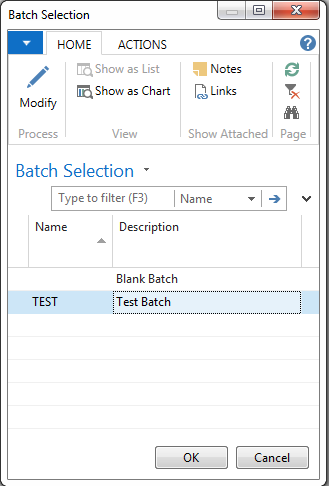
The Ceres 4 image above is nearly identical to the Ceres 5 image below.
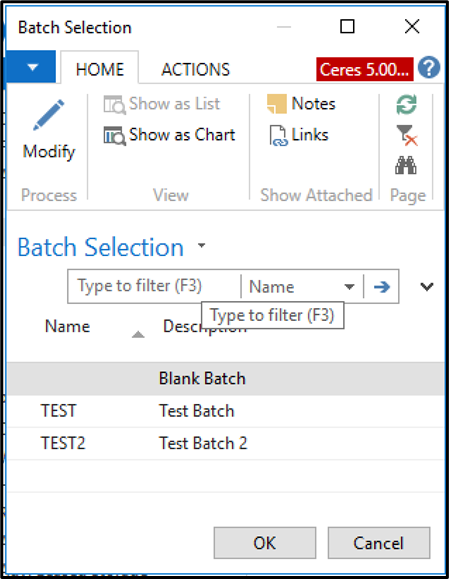
Below is the batch selection screnshot for Ceres 6. It's clear that there is enough difference between Ceres 5 and Ceres 6 that new screenshots should be included.
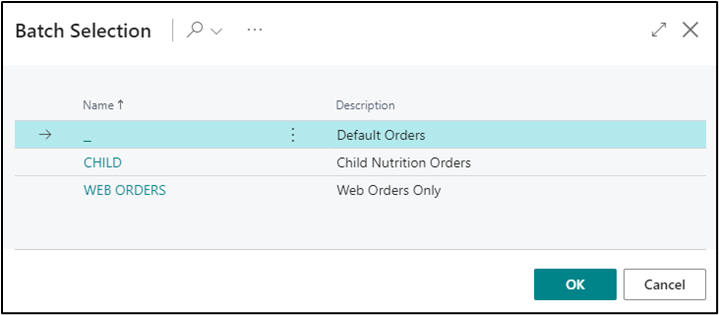
In addition to new screenshots, the user interface has changed enough that some of the instructions included in previous sets of documentation are now less helpful. For example, the menu on the left side of the Role Center screen has now changed to one of three menus along the top of the screen. More confusingly, that menu changes depending on both the Role Center assigned to the user and the display options the user has selected. The menu is also now a horizontal list instead of a vertical one, meaning many options are nested. This means that orientation documentation is confusingly written, like this:
Agency Orders can be accessed by selecting “Search” from the Dynamics 365 Business Central Banner and entering “Agency Orders” in “Tell me what you want to do" then selecting “Agency Orders” from the results in the Go to Pages and Tasks section OR by selecting the “Agency Orders” menu action (if present) from your Role Center home page.
Umm... "if present?"
It turns out that "if present" is a recurring theme in Ceres 6. Its deep user customization features make navigation-related documentation difficult, and the screenshots unhelpful. In the above example, both the "Business Central Banner" and "if present" parts are not included in the screenshot, although for some Wye documentation the BC Banner has been (randomly) included.
Annoyingly, there is no consistency in navigation screenshots between the two versions. Some documents contain an image of the Ceres 6 search box, which corresponds to the main menu navigation image from previous versions, while other Ceres 6 documents don't. This means that when updating screenshots between the two versions, you need to look at every single document.
Finally, Ceres 6 adds very few new foodbank specific features that were not present in Ceres 5. Any new features are more related to updates made to the Business Central 365 platform, and not to the Ceres customizations.
This ultimately leads to two questions:
- Is it important to update all the screenshots to the new version? (yes)
- How much does the documentation need to be updated to reflect navigation-related changes to the interface? Alternately, can all the navigation-related information be extracted to a "Getting Around in Ceres" document, which can be referenced rather than endlessly repeated?
Versioning in Docusaurus
Docusaurus assumes that your screenshots don't all change between versions. The versioned_docs directory splits out markdown files into their own versioned subdirectory, but leaves any static files (like images) outside of the versioned subdirectory. When new versions are created, all current static files are copied into the versioned_docs/static subdirectory, overwriting what's already there. To keep Version 5 images distinct from Version 6 images, there are a couple of options:
- Rename all the Ceres 6 images, and update all the Ceres 6 md files with the new filename (faster, sloppy)
- Move Ceres 5 images to a new static directory and update all the md files with the new path (cleaner)
- Move all images to versioned_docs/version-5/img/ and update all paths in all documents; do the same thing for C6 (cleanest, also images apparently aren't static :/ )
Missing WYE Ceres 6 Documentation
Not all Ceres 5 documentation has been converted by WYE to Ceres 6. These fall into two categories: documentation that they never created in the first place, and documentation that was abandoned. In this repository, Ceres 6 versions of all those documents exist, but they will need to have their screenshots updated (and be reviewed for functionality).
Ceres 6 Documents that do not have a matching Wye Ceres 6 version have been added to the Cleanup Tasks list.